Case study 05 / Household Hub
Less to remember.
Rent, tenants and household spending in one place, with reminders sent over WhatsApp and handwritten expense slips read into entries you review.
Runs a family's rent and spending; its users include a grandmother.
- For
- Everyday operations
- Role
- Solo engineer
- When
- May – October 2026
- Built with
- Next.js · Supabase · PostgreSQL
- Reading
- 3 min
The brief
My family runs a rental property and a household, and both ran on spreadsheets, paper and memory. Rent increases had to be remembered and applied by hand, reminders went out one tenant at a time, and household spending was written on paper in running lists that nobody ever typed up.
The people who use it are relatives, including a grandmother who is not technical. A login screen would have been the end of it.
What I built
One app with two halves. The tenant side shows who has paid, who is late and who is pending, works out each month's rent from the tenant's terms, and sends reminders over WhatsApp. The expense side turns a photograph of a handwritten list into entries to review, and rolls spending into monthly summaries and insights.
The public demo runs the same code on an invented household, rebuilt every night, with both PINs printed on every page so you can try everything.
The decisions that mattered
Shared PINs, enforced on the server
Instead of accounts there are two shared PINs: one to see private details, one to change things. Both are checked on the server, not just hidden on screen. Without a PIN the app still opens and shows the totals, leaving out phone numbers, deposits and bank details. Changing the admin PIN signs out every session at once.
Rent that remembers its own increases
Each month's rent is calculated from the tenant's terms and the dates of scheduled increases, so a raise takes effect on its own instead of when someone remembers.
Reminders in a tap
Reminders and greetings go to every tenant at once through a small WhatsApp service kept apart from the app, so if it fails, two buttons show an error and nothing else breaks. When that service is off, a phone works too: tap a tenant and WhatsApp opens with the message already written.
Paper slips, read by a model, checked by a person
Spending is written in Hinglish, with day-first dates and several days to a page. A vision model reads the photograph into draft rows, using the household's own list of items so the names match, and it is told the date convention, so 3.7.26 means the third of July. Nothing is saved until a person reviews the rows: uncertain readings are flagged, and the slip's written total is checked against the lines. Typing an entry by hand stays quick for anyone who prefers it.
Insights for the next decision
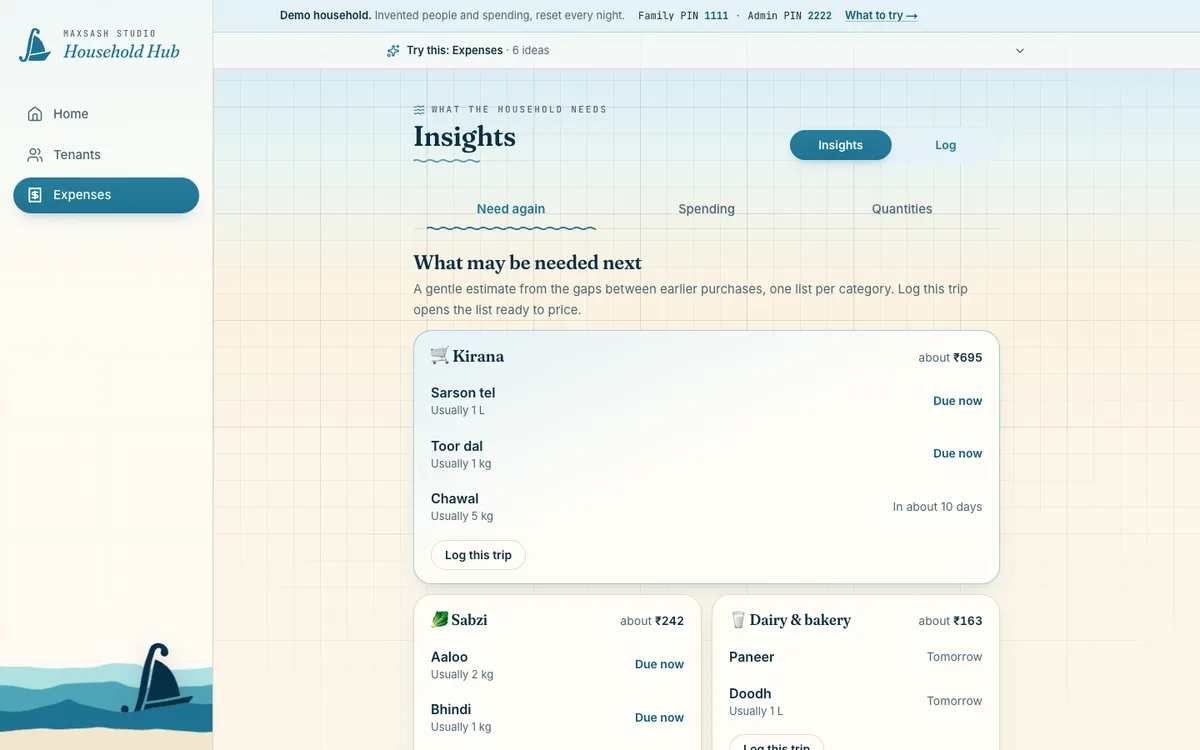
The point of recording rent and spending is to make the next decision easier, not to produce a chart for its own sake. The insights page turns the reviewed entries into practical monthly summaries and upcoming household needs. It carries over the same question-first approach I used in the business operations platform: show what is useful to act on, rather than make analytics an extra layer over data entry.
Designed for the people who use it
The people using the app have very different comfort with software. I iterated on the wording, iconography, colour and flow until everyday tasks were easy to recognise and complete. The goal is not to make someone learn a system; it is to let them run the household without the system getting in the way.
Tested where mistakes are expensive
The rent calculations, access rules and summaries are covered by 61 test files, because a mistake in that logic would otherwise surface only at the end of the month.
The outcome
The family runs its rent and household spending on it. The public demo shows all of it with invented data, and a guide on each screen points out what to look at.